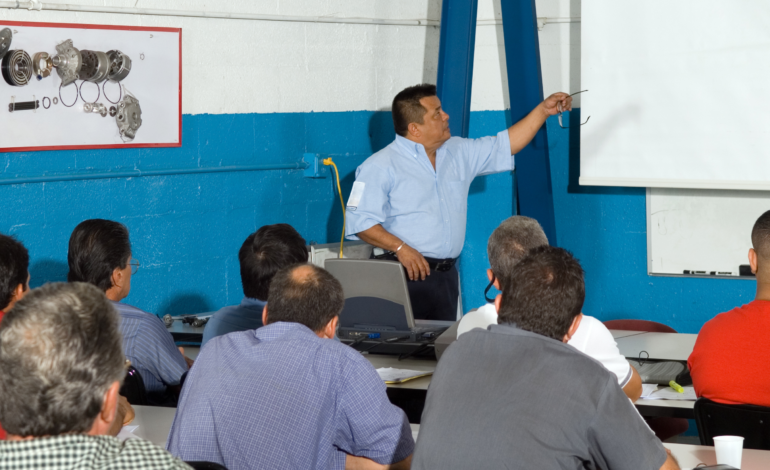
Learn It On YouTube: Free Tutorials to Help You Run a Stronger Chapter

Lead & Succeed | Chapter Leader Toolkit
Chapter leaders often end up managing websites, emails, event registration, graphics, payments, and other tools they were never formally trained to use. The good news is that you do not need to become a technology expert—you just need a practical way to learn the next task in front of you.
The Key Idea
You do not need to learn an entire platform. Learn the specific task you need to complete, document what worked, and make it easier for the next volunteer to do the same thing.
What You’ll Get From This Guide
- A practical way to learn unfamiliar chapter tools
- Examples of common tools chapter leaders may encounter
- A better way to search for tutorials
- A simple tool-learning workflow
- Safety and quality checks for third-party tutorials
- A way to turn what you learn into chapter knowledge
You Do Not Have to Know Everything Before You Start
Running a chapter can mean wearing a lot of hats: leader, planner, promoter, communicator, event coordinator, and occasionally unofficial tech support.
That can feel intimidating when a task depends on a platform you have never used before.
But most chapter technology tasks are much smaller than they first appear.
DON’T LEARN THE WHOLE PLATFORM
Learn the next task.
Instead of asking, “How do I learn Canva?” ask, “How do I create a simple event flyer in Canva?”
Instead of “How does Eventbrite work?” ask, “How do I create an event registration page and send the link?”
Smaller questions usually lead to faster answers.
Learn on Your Own Terms
Public tutorials can be extremely useful when you need quick help with a specific software task.
YouTube is one of the easiest places to find step-by-step demonstrations, but many platforms also maintain their own help centers, training libraries, and official tutorials.
WHY SELF-SERVICE LEARNING WORKS
It’s flexible.
Learn when the task actually comes up.
It’s practical.
Focus on the exact problem you are trying to solve.
It’s repeatable.
Pause, rewind, and try the steps yourself.
It builds chapter capacity.
Once one volunteer learns the process, they can document it and teach someone else.
Search for the Task, Not Just the Tool
The quality of the answer you find often depends on the question you search.
TRY SEARCHING LIKE THIS
“How to create an event registration page in Eventbrite”
“How to schedule an email in Mailchimp”
“How to resize a flyer for LinkedIn in Canva”
“How to update a Wix website menu”
“How to create a payment link in PayPal”
THE SEARCH FORMULA
Tool + Specific Task + Current Year, if needed
Common Chapter Tools You Can Learn One Task at a Time
The exact platforms used by chapters may vary, but the same learning approach works across most tools.
WEBSITE MANAGEMENT
Wix or Another Website Platform
You may only need to learn how to:
- Update text or images
- Add a new event page
- Change an officer or contact listing
- Add a registration link
- Update navigation
- Publish a change
Mailchimp or Another Email Platform
Useful tasks might include:
- Create an email from an existing template
- Edit text and images
- Add an event registration link
- Send a test email
- Schedule a message
- Review basic email results
EVENT REGISTRATION
Eventbrite or Another Registration Platform
You may need to learn how to:
- Create an event
- Add registration or ticket options
- Update event details
- Copy the registration link
- Check registrations
- Send attendee reminders
- Export an attendee list
PAYMENTS
Approved Chapter Payment Tools
Depending on the tools and financial processes approved for your chapter, common tasks may include:
- Create or share a payment link
- Confirm whether a payment was received
- Understand basic transaction records
- Provide payment information for an event or sponsorship
IMPORTANT
Before creating new payment accounts, changing financial settings, or adopting a new payment platform, confirm that the approach follows current AMPP and chapter financial requirements. A tutorial can show you where to click; it cannot determine what your chapter is authorized to do.
GRAPHICS
Canva
Useful chapter tasks include:
- Update an existing event template
- Replace text and photos
- Create simple social graphics
- Resize content for different platforms
- Export graphics for web or print
- Keep chapter visuals consistent
AMPP Training Resource
Watch
Canva Made Simple: Create Flyers, Posts, and More for Your Chapter
.
Start With Official Help When You Can
Public tutorials are useful, but the platform’s own support materials are often the safest place to start—especially when a tool changes frequently.
A GOOD ORDER TO FOLLOW
1. AMPP chapter resources — if guidance already exists for the task
2. Official platform documentation — current instructions from the software provider
3. Official platform video tutorials — useful when you need to see the process
4. Reputable third-party tutorials — helpful for additional demonstrations or explanations
CHECK AMPP FIRST
Visit the
AMPP Chapter Resources page
before starting from scratch. Tutorials, templates, webinars, and other chapter-support materials may already be available.
How to Evaluate a Third-Party Tutorial
Not every tutorial online is current, accurate, or appropriate for chapter use.
BEFORE YOU FOLLOW THE STEPS
☐ Check when the tutorial was published
☐ Make sure the interface still looks similar
☐ Compare important steps with official documentation
☐ Be cautious with anything involving passwords, payments, permissions, or member data
☐ Do not install unfamiliar extensions or software just because a video recommends them
☐ Confirm the process fits AMPP and chapter requirements
REMEMBER
A tutorial can teach you how a feature works. It cannot tell you whether that feature is appropriate for your chapter’s finances, member data, branding, permissions, or other AMPP requirements.
Use This Five-Step Learning Workflow
| Step | What to Do |
|---|---|
| 1. Define | Write down the specific task you need to complete. |
| 2. Find | Look for AMPP resources, official documentation, or a current tutorial. |
| 3. Test | Follow the process carefully and verify the result before publishing, sending, or charging anything. |
| 4. Document | Save a few notes, screenshots, or the useful tutorial link. |
| 5. Share | Put the instructions somewhere the next chapter volunteer can find them. |
Turn What You Learn Into Chapter Knowledge
The biggest payoff comes when the next person does not have to solve the same problem from scratch.
CREATE A SIMPLE “HOW WE DO IT” NOTE
Task: [WHAT ARE WE DOING?]
Tool: [PLATFORM]
Owner: [ROLE / PERSON]
Steps: [SHORT STEP-BY-STEP NOTES]
Helpful resource: [LINK]
Last reviewed: [DATE]
Important notes: [PERMISSIONS / BRAND / FINANCIAL / DATA REQUIREMENTS]
BUILD FOR THE NEXT VOLUNTEER
If one person becomes the only person who knows how to send the email, update the website, collect registrations, or create an event graphic, the chapter has created a bottleneck. Documenting the process helps distribute knowledge and makes leadership transitions easier.
Why It’s Worth Learning a Few Tools
A little practical knowledge can save significant time later.
- Move faster: Handle routine changes without waiting for someone else.
- Reduce volunteer frustration: Give people repeatable processes instead of vague responsibilities.
- Improve continuity: Preserve chapter knowledge when leadership changes.
- Share the workload: Train multiple volunteers on manageable tasks.
- Present the chapter professionally: Keep information current and communications consistent.
- Try new ideas: Technology becomes less intimidating when you know you can learn one task at a time.
YOUR 30-SECOND TOOL CHECK
Before You Spend an Hour Trying to Figure Something Out:
- Can I describe the exact task I need to complete?
- Does AMPP already have guidance for it?
- Does the platform have an official tutorial?
- Is the tutorial I’m using current?
- Does the task involve sensitive data, payments, permissions, or branding?
- Can I document the process once I figure it out?
TRY THIS THIS WEEK
Learn One Small Task
Pick one recurring task your chapter currently finds frustrating.
Find the most reliable instructions you can, complete the task, and create a short “how we do it” note for the next person. You have now solved the problem twice: once for yourself and once for the chapter.
What to Take Away From This
Chapter leaders do not need to be experts in every platform their chapter uses.
Learn the specific task in front of you, start with trusted resources, use third-party tutorials thoughtfully, and document what you learn. Over time, those small pieces of knowledge can become a practical operating system that makes chapter leadership easier for everyone.
Helpful Resources
Check here first for available templates, webinars, tools, and guidance created for chapter leaders.
Canva Made Simple: Create Flyers, Posts, and More for Your Chapter
An AMPP webinar designed to help chapter leaders create practical graphics and promotional materials.
A useful source for step-by-step demonstrations when official documentation is not enough. Always check that third-party guidance is current and appropriate for your chapter.
About third-party resources: Public tutorials and videos are not necessarily created, reviewed, or endorsed by AMPP. Interfaces and platform policies can also change. Verify important instructions with the software provider and make sure any process involving chapter data, payments, branding, accounts, or permissions follows current AMPP guidance.
AMPP CAN HELP
Not Sure Where to Start?
If your chapter is trying to figure out a process, find an existing resource, or determine the right place to go for support, reach out to the chapter team.
Email
chapters@ampp.org
.
We’re here to help.
What Are You Working On?
Explore more Lead & Succeed resources based on what your chapter needs right now.
Get More Chapter Leadership Resources
Subscribe to Lead & Succeed for practical ideas, templates, and resources designed to make chapter leadership easier.
We’re here to help you grow and strengthen your chapter.
If there’s a topic you’d like us to cover, let us know—we’re always looking for ways to better support AMPP chapter leaders.
.gif)