Your Sponsorship Packet—Done for You: How to Use the New Canva Template
Lead & Succeed | Chapter Leader Toolkit
You’ve learned the sponsorship strategy. Now you have a practical tool to put it into action. Use AMPP’s ready-to-customize Canva template to create a professional sponsorship packet for your next chapter event.
The Key Idea
You don’t have to design a sponsorship packet from scratch. Start with the template, customize the pieces that matter to your chapter, remove what you don’t need, and send a polished packet with confidence.
READY-TO-USE RESOURCE
Open the AMPP Chapter Sponsorship Template
Use the template as your starting point, then update the event information, audience details, sponsorship levels, benefits, and contact information for your chapter.
What You’ll Get From This Guide
- What’s included in the sponsorship template
- How to customize it for your chapter
- Two ways to present sponsorship levels
- Ideas for add-on sponsorship opportunities
- A final packet checklist
- Links to the Canva template, webinar, and chapter resources
From Sponsorship Strategy to Something You Can Actually Send
Building a strong chapter sponsorship program involves more than asking companies for support.
You need to understand what sponsors value, create useful benefits, set appropriate pricing, communicate the opportunity clearly, and maintain the relationship after the event.
But eventually, all of that strategy needs to become something tangible:
A sponsorship packet a potential sponsor can easily review.
That’s why AMPP created a ready-to-use sponsorship template specifically for chapters.
WANT THE STRATEGY FIRST?
Explore the full chapter sponsorship series for guidance on packages, pricing, outreach, and retention.
What the Template Does for You
The template gives you a structured starting point so you don’t have to open a blank Canva page and figure out what belongs in a sponsorship packet.
BUILT INTO THE TEMPLATE
- A structured sponsorship packet layout
- Pre-written sections to guide your content
- Example sponsorship levels
- Space to explain your event and audience
- Add-on sponsorship ideas
- Two ways to display sponsorship packages
- A clear sponsor call to action
Your job is simply to customize the information so it accurately reflects your chapter and event.
What Should Be in Your Sponsorship Packet?
1. Cover Page
Give sponsors the essential event information immediately.
- Event name
- Date
- Location
- Sponsorship Opportunities heading
- Your official chapter logo
2. Event Overview
Explain the event simply and clearly.
- What the event is
- Who should attend
- What attendees will gain
- Why the event matters
3. Chapter & Audience Overview
Sponsors need to understand who they’ll be reaching.
- Who your chapter serves
- Industries represented
- The types of professionals who attend
- Why this audience may be valuable to a sponsor
Don’t make sponsors work to understand the value. Clearly explain who attends and what kind of visibility or connection the sponsorship can provide.
4. Sponsorship Levels
The template gives you two options for presenting your sponsorship packages.
|
Option A: Comparison Chart Shows sponsorship levels side by side so companies can compare benefits quickly. Best for: Events with clear tiered packages and several benefits to compare. |
Option B: List Format Gives each sponsorship level its own section with a simple list of included benefits. Best for: Simpler events or packages that need a little more explanation. |
Important:
You only need one sponsorship-level layout. Choose the version that works best for your event and delete the other one from the final packet.
5. Add-On Sponsorship Opportunities
Not every potential sponsor will want or need a full sponsorship package.
Smaller opportunities can create additional entry points, especially for local companies or organizations that want to support one specific part of the event.
ADD-ON IDEAS
- Coffee sponsorship
- Lunch sponsorship
- Lanyards
- Raffle prizes
- Student support
- Networking reception support
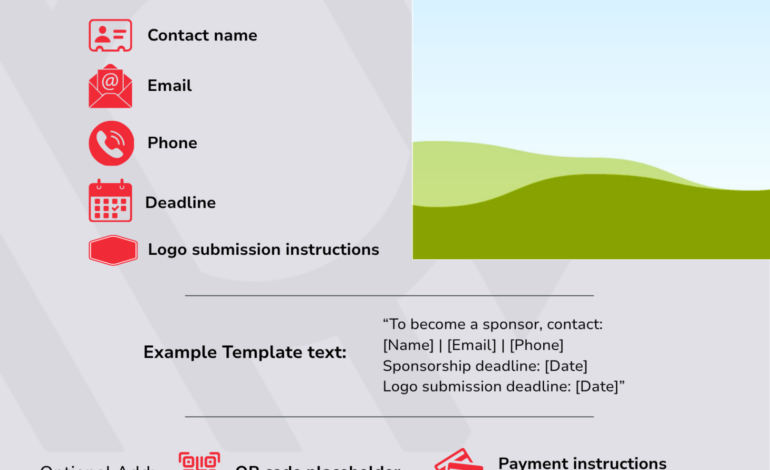
6. A Clear Call to Action
Don’t make a company interested in sponsoring your event search for what to do next.
Your final section should clearly include:
- Who to contact
- Email or other contact information
- Sponsorship deadline
- What the sponsor needs to do next
DON’T FORGET THIS PART
A beautiful packet without a clear next step is only informational. Make it obvious how a company becomes a sponsor.
How to Customize the Template
You do not need design or marketing experience. Work through the packet one section at a time.
STEP 1
Open Your Own Copy
Open the sponsorship template in Canva and select the option to open it in the editor so you can create and customize your version.
NEW TO CANVA?
AMPP also created a short webinar covering Canva basics, including how to edit text, replace images, and export your final design.
STEP 2
Replace the Placeholder Information
Update the template with your actual:
- Event details
- Chapter description
- Audience information
- Official chapter logo
STEP 3
Update Your Sponsorship Levels
Review and customize:
- Pricing
- Benefits
- Package names
- Add-on opportunities
- Anything that does not apply to your event
STEP 4
Choose Your Sponsorship Layout
Decide whether the chart or list version is best for your event, then remove the version you are not using.
STEP 5
Remove Anything You Don’t Need
Not every event needs every page. A shorter, focused packet is better than keeping extra material simply because it came with the template.
STEP 6
Export and Share
Once the packet is finished, export it as a PDF and use it to:
- Send with sponsor outreach emails
- Share with chapter leadership
- Use in conversations with potential sponsors
- Support your chapter’s sponsorship marketing efforts
KEEP IT SIMPLE
Five Tips for a Strong Sponsorship Packet
- Make it easy to scan. Sponsors should understand the opportunity quickly.
- Use realistic pricing. Choose levels that make sense for your event and market.
- Focus on audience value. Explain who sponsors will connect with.
- Keep tiers simple. Too many options can make the decision harder.
- Get it into use. A clear, complete packet is more useful than one that stays unfinished while you chase perfection.
BEFORE YOU SEND IT
Your Sponsorship Packet Check
- Is the chapter and event name correct?
- Are the date and location accurate?
- Did you replace all placeholder text?
- Are you using the official chapter logo?
- Is the audience clearly explained?
- Are sponsorship prices and benefits current?
- Did you delete the unused package layout?
- Did you remove sections that do not apply?
- Is there a clear sponsorship deadline?
- Is the contact information correct?
- Is it obvious what a sponsor should do next?
How to Use the Packet in Real Life
Once your sponsorship packet is complete, keep it handy.
It can become the central resource you use when:
- Contacting prospective sponsors
- Following up after an initial conversation
- Sharing sponsorship opportunities with chapter members
- Giving board members a consistent resource to share
- Explaining sponsorship options during conversations with potential partners
Instead of recreating the opportunity every time someone asks, you have one clear document everyone can use.
KEEP THESE LINKS HANDY
Chapter Sponsorship Resources
Sponsorship Template:
Open in Canva
Canva Basics Webinar:
Watch the Webinar
Chapter Leader Resources:
Visit the Chapter Leader Resources Page
What to Take Away From This
You don’t have to build every chapter resource from scratch.
Use the sponsorship template as your starting point, customize it for one event, and get it into the hands of potential sponsors. Once you have a working packet, you can refine it as your chapter’s sponsorship program grows.
START HERE
Build One Packet for One Event
- Open the Canva template.
- Choose one upcoming chapter event.
- Customize the event and audience sections.
- Set your sponsorship packages.
- Add a clear contact and deadline.
- Export the packet.
- Send it to your first potential sponsor.
AMPP CAN HELP
Need Help Putting Your Sponsorship Packet Together?
If you have questions about the template, chapter sponsorship resources, or getting started with your sponsorship program, reach out.
Email
chapters@ampp.org
.
We’re here to help.
What Are You Working On?
Explore more Lead & Succeed resources based on what your chapter needs right now.
Get More Chapter Leadership Resources
Subscribe to Lead & Succeed for practical ideas, templates, and resources designed to make chapter leadership easier.
We’re here to help you grow and strengthen your chapter.
If there’s a topic you’d like us to cover, let us know—we’re always looking for ways to better support AMPP chapter leaders.
.gif)